


If your WhatsApp Business profile is not showing to customers, the cause is usually one of five things: a privacy setting that hides your photo or details, a display name that hasn’t been approved or verified, a business username that is only reserved and not active, a broken link on Google Business Profile, or an account restriction. Most of these take just a few minutes to fix once you know which one you’re dealing with.
This guide walks you through each cause, shows you exactly where to look in the WhatsApp Business app and Meta’s WhatsApp Manager, and helps you confirm the fix worked from a customer’s point of view.
Quick Overview
| What customers can’t see | Most likely cause | Quick fix |
| Your profile photo | Profile photo privacy set to “My contacts” or “Nobody” | Settings > Privacy > Profile photo > Everyone |
| Your business name (they see only a number) | Customer hasn’t saved your number, or your API display name isn’t approved or verified | Check display name status in WhatsApp Manager and complete Business Verification |
| Your whole profile when searching | Username is reserved, not active, or typed incorrectly | Share your exact @username, wa.me link, or QR code |
| WhatsApp button on Google Maps or Search | Number added in the wrong field or rejected by Google | Add it under Edit profile > Contact > Chat > WhatsApp |
| Anything at all, messages fail too | Account banned, restricted, or the customer blocked you | Check for a restriction notice and request a review |
What Should Customers Normally See on Your WhatsApp Business Profile?
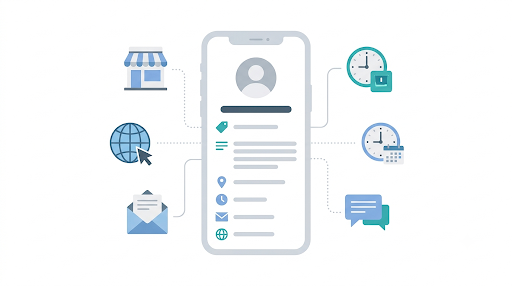
A complete WhatsApp Business profile shows your business name, profile photo, description, address, business hours, category, email, and website. Customers open it by tapping your business name or phone number at the top of a chat, as explained in Meta’s WhatsApp Business Platform documentation on business profiles. WhatsApp also shows the month and year you joined the WhatsApp Business app.
Here’s the part many business owners miss. Your profile isn’t a public web page. There’s no public listing that customers browse, and Google doesn’t index your WhatsApp profile like a website. Customers see it inside a chat, through your username, or through a link or QR code you share.
So before you start troubleshooting, ask yourself one question: is the problem that customers can’t find you, or that they can find you but see missing details? The fixes are different.
Why Is Your WhatsApp Business Profile Not Showing to Customers?
The reason depends on which part is missing and which version of WhatsApp Business you use. Let’s go through each cause in the order you should check them.
1. Your Privacy Settings Are Hiding Your Profile Photo or About
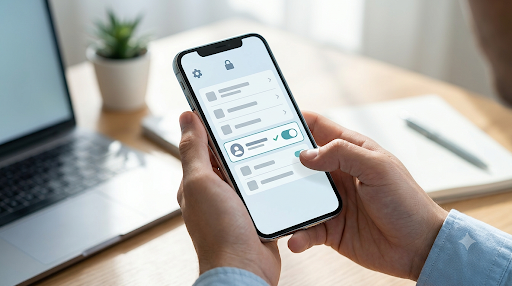
This is the most common cause, and it’s the easiest to fix. The WhatsApp Business app uses the same privacy controls as regular WhatsApp. You can limit your profile photo, About, and last seen to Everyone, My contacts, My contacts except, or Nobody.
If your profile photo is set to My contacts, a new customer who hasn’t saved your number in their phone won’t see it. They’ll see a gray placeholder instead, and many will assume your account is fake or incomplete.
How to fix it on Android:
- Open the WhatsApp Business app.
- Tap the three dots in the top right, then Settings.
- Tap Privacy.
- Tap Profile photo and choose Everyone.
- Go back and do the same for About if you want customers to see it.
How to fix it on iPhone:
- Open the WhatsApp Business app and tap Settings.
- Tap Privacy, then Profile photo.
- Select Everyone.
Tip: Menu names can vary a little between app versions. If you don’t see Privacy right away, look under Settings > Account > Privacy.
2. The Customer Sees Your Phone Number Instead of Your Business Name
WhatsApp shows a business name in a set order of priority. Knowing this order clears up a lot of confusion:
- Saved contact name, if the customer saved your number
- Verified business name or Official Business Account name
- Business username, such as @yourbrand
- Phone number, if none of the above apply
So if a customer hasn’t saved your number, your business isn’t verified, and you don’t have an active username, they’ll only see digits. That’s not a bug. It’s how WhatsApp is designed.
On the WhatsApp Business Platform (API), this gets more specific. According to Microsoft’s WhatsApp Business account FAQ, once your account completes Business Verification, your business name shows even when the customer hasn’t added you to their address book. Without verification, customers generally see your number unless they save it.
If a customer sees your number but your name looks wrong on their side, the issue might be on their device. Our guide on fixing WhatsApp Business contacts not showing names covers the contact sync side of this problem.
3. Your API Display Name Is Pending, Rejected, or Stuck
If you use the WhatsApp Business Platform through Meta or a provider like Wati, Interakt, or Gupshup, your display name must be reviewed by Meta. Until it’s approved, customers may not see it.
Here’s how to check:
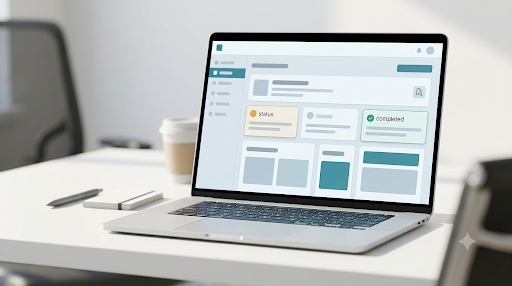
- Open Meta Business Suite and go to WhatsApp Manager.
- Go to Account tools > Phone numbers.
- Look at the Name status next to your number.
- If it’s rejected, open the details to see why.
Common reasons for rejection include a display name that doesn’t match your website or branding, generic words like “Shop” or “Support” alone, extra symbols or emojis, and a name that doesn’t clearly relate to your business. Make sure your website shows the same business name you’re requesting.
The “NON_EXISTS” problem: Some developers in Meta’s community forums report that a display name can get stuck in a status called NON_EXISTS, even after Business Verification is complete. Several reported that submitting a slightly different display name request solved it. If your name has been stuck for days with no clear reason, this is worth trying.
4. Your Business Username Is Reserved but Not Active
Business usernames let customers find and message you without your phone number. But there are a few catches that cause “customers can’t find my profile” complaints:
- Reserved isn’t the same as active. Usernames are rolling out gradually by region. You may have claimed one, but customers can’t use it until it’s live in your area.
- There’s no public directory to browse. Customers need to type your exact username. A small typo means they won’t find you.
- Changing your username breaks old QR codes. If you printed a QR code before changing your username, generate a new one.
- Linked accounts can block a claim. If your username is already used by your Facebook Page or Instagram account, you may need to link your business phone number to that account first.
Important: A username doesn’t hide your phone number. Customers who already have your number can still see it.
The practical fix is simple. Don’t wait for customers to search for you. Put your wa.me link, @username, or QR code on your website, Instagram bio, invoices, and packaging.
5. Your WhatsApp Isn’t Showing on Google Business Profile
A lot of people searching this problem actually mean their WhatsApp button isn’t showing on Google Maps or Google Search. That’s a Google setting, not a WhatsApp one.
Google only shows WhatsApp chat when you add it in the correct place:
- Open your Google Business Profile.
- Click Edit profile, then Contact.
- Next to Chat, click edit.
- Choose WhatsApp from the drop-down and enter your link or number.
- Save and wait for Google to review it.
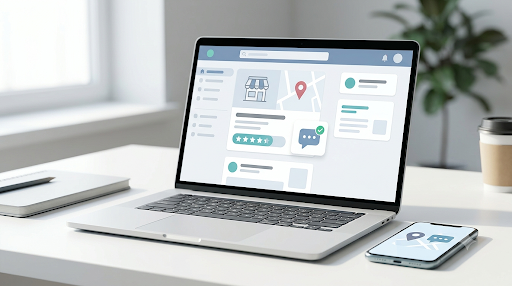
Common mistake: Adding your WhatsApp number to the phone field or pasting a wa.me link in your business description. Google won’t show it as a chat button that way. Also avoid virtual or call-tracking numbers, since they’re more likely to be rejected.
If it was approved but still doesn’t appear, remove the link, wait 24 to 48 hours, and add it again carefully.
6. Your Account Has Been Restricted or Banned
If WhatsApp has restricted or banned your number, customers won’t be able to reach your profile properly, and your messages won’t deliver. A banned account shows a message like “This phone number can’t use WhatsApp” inside the app.
Bans usually follow spam reports, bulk messaging to people who didn’t opt in, or using unofficial modified apps. If you see this notice, use the in-app option to request a review. Explain how you collect customer numbers and how you use WhatsApp.
API users should also check Account quality in WhatsApp Manager. A low quality rating won’t hide your profile on its own, but it’s often an early warning before restrictions.
7. The Customer Blocked You or Has a Sync Problem
If only one customer can’t see your profile while others can, the issue is likely on their side. People who have blocked a number don’t see that number’s profile photo updates. Their phone may also have stale contact data.
Ask the customer to:
- Check that you’re not in their blocked contacts list under Settings > Privacy
- Update WhatsApp to the latest version
- Refresh their contacts or restart the app
- Check their internet connection
How Do You Check What Customers Actually See?
The fastest way is to look at your profile from a phone that has never saved your number. Your own phone will show you a “logged in” view, which can hide the exact problem customers face.
- Borrow a friend’s phone or use a second number that hasn’t saved your business.
- Open your wa.me link, for example wa.me/15551234567 using your full number with country code and no plus sign or spaces.
- Tap the name or number at the top of the chat.
- Check your photo, name, description, address, hours, and website.
- Repeat the test after saving your number, so you can compare both views.
This one test tells you whether you have a privacy problem (details visible only after saving), a name problem (digits instead of your name), or a bigger account issue (nothing loads).
What If Only Some Profile Details Are Missing?
Sometimes the profile appears, but certain parts are blank. Here’s what usually causes each one:
| Missing detail | Why it happens | What to do |
| Address | Field left empty or not saved | Edit Business profile > Business address and save again |
| Business hours | Hours toggle turned off | Turn on hours and set times for each day |
| Description | Empty field or update hasn’t refreshed yet | Re-save and give it some time to update |
| About (API) | Text outside Meta’s 1 to 139 character limit | Shorten or fill in the About text |
| Profile photo (API) | Image too small or wrong format | Upload a clear image larger than 192 x 192 pixels |
| Products | Catalog items hidden, pending review, or rejected | Check each item’s status in your catalog |
If your profile looks fine but your products are missing, that’s a separate issue. See our step-by-step guide on WhatsApp Business catalog not showing to customers.
Does Using WhatsApp Business on Linked Devices Affect Your Profile?
No, your profile lives on your account, not on one device. Edits you make on your main phone should appear on WhatsApp Web, desktop, and linked phones. But if a linked device isn’t syncing, you might edit your profile there and think it saved when it didn’t.
Best practice: Make profile changes on your primary phone, then confirm them on linked devices. If your other devices aren’t syncing at all, check our fix for WhatsApp Business linked devices not working.
What Mistakes Make This Problem Worse?
- Testing only from your own phone. You see what you want to see. Always test from a number that hasn’t saved you.
- Reinstalling the app before backing up. Reinstalling rarely fixes profile visibility, and it can cost you chat history.
- Using modified or unofficial WhatsApp apps. These can get your number banned, which is far harder to fix than a hidden photo.
- Changing your display name again and again. Each change sends it back for review. Pick a name that matches your website and stick with it.
- Relying on customers to search for you. Share direct links and QR codes everywhere you meet customers.
- Using a call-tracking number on Google. Google may reject it, and your WhatsApp button won’t show.
How Can You Make Your Profile Easier for Customers to Find?
Fixing the problem is step one. Making your profile hard to miss is step two. Here’s a simple checklist:
- Set profile photo visibility to Everyone and use a clear logo.
- Fill in every field: description, address, hours, category, email, and website.
- Keep your business name the same across WhatsApp, your website, Google, and Instagram.
- Link your Facebook Page or Instagram account so customers can tap through to WhatsApp.
- Add a WhatsApp chat button on your website and Google Business Profile.
- Print your QR code on receipts, menus, and packaging.
- Set a greeting message so new customers get a reply right away.
One more thing. If customers can see your profile but say you never reply, make sure your alerts are working. A missed message can feel just as bad as a missing profile. Here’s how to fix WhatsApp Business notifications not working.
Frequently Asked Questions
Why can customers see my number but not my business name?
WhatsApp shows your phone number when the customer hasn’t saved you, your business isn’t verified, and you don’t have an active username. Ask regular customers to save your number, and if you’re on the API, complete Meta Business Verification so your name appears for everyone.
How long does it take for WhatsApp Business profile changes to show?
Simple edits like your description or hours usually appear quickly, but some updates can take longer to reach every customer’s device. API display name reviews and Google Business Profile changes take longer, often a day or two. If nothing changes after 48 hours, re-check the setting.
Can people find my WhatsApp Business profile by searching my business name?
Not by name alone. WhatsApp doesn’t offer a searchable directory of businesses by name. Customers need your phone number, exact @username, wa.me link, or QR code.
Why is my WhatsApp Business profile picture not showing on Android but showing on iPhone?
The operating system usually isn’t the real cause. It’s more likely that the Android user hasn’t saved your number while your photo is set to My contacts, or their app has old cached data. Set your photo to Everyone and ask them to update the app.
Do I need a green checkmark for customers to see my business profile?
No. The green checkmark is for Official Business Accounts and is optional. Your profile, photo, and details show without it. Verification mainly affects whether your business name appears for customers who haven’t saved you.
Is there a difference between WhatsApp Business app and API profile visibility?
Yes. The free app relies mostly on privacy settings and whether customers saved your number. The API adds a display name review and Business Verification, which control whether your name appears for unsaved contacts.
Final Recommendation
Start with the 2-minute test: open your wa.me link from a phone that hasn’t saved your number. If your photo is missing, change your profile photo privacy to Everyone. If you only see digits, check your display name status and Business Verification in WhatsApp Manager. If customers can’t find you at all, stop relying on search and share your link or QR code directly. And if the problem is on Google, move your WhatsApp number into the Chat field in your Business Profile.
Most businesses fix this within a day once they find the real cause. Work through the checks in order, and you’ll know exactly where things went wrong.
